 STRIX
STRIX
Strix SQLite — a native SQLite browser and editor for macOS and iPadOS
Fast. Simple. Powerful. Built with Swift and SwiftUI for Mac and iPad.
FEATURES
Native Performance
Built with Swift and SwiftUI, not Electron. Lightning-fast startup and smooth scrolling.
View & Edit Modes
Databases open read-only—you can't accidentally modify anything. Toggle to edit mode when needed, and every change is highlighted until you save or discard.
Advanced Search
Full-text search (FTS5) with result highlighting. Find anything instantly, even in large databases.
Import Anything
Drop in CSV, TSV, JSON, or Excel files. Multi-sheet workbooks expand to one SQLite table per sheet — no scripts, no conversion tools.
See the full version history on the changelog page, or jump to pricing.
SCREENSHOTS
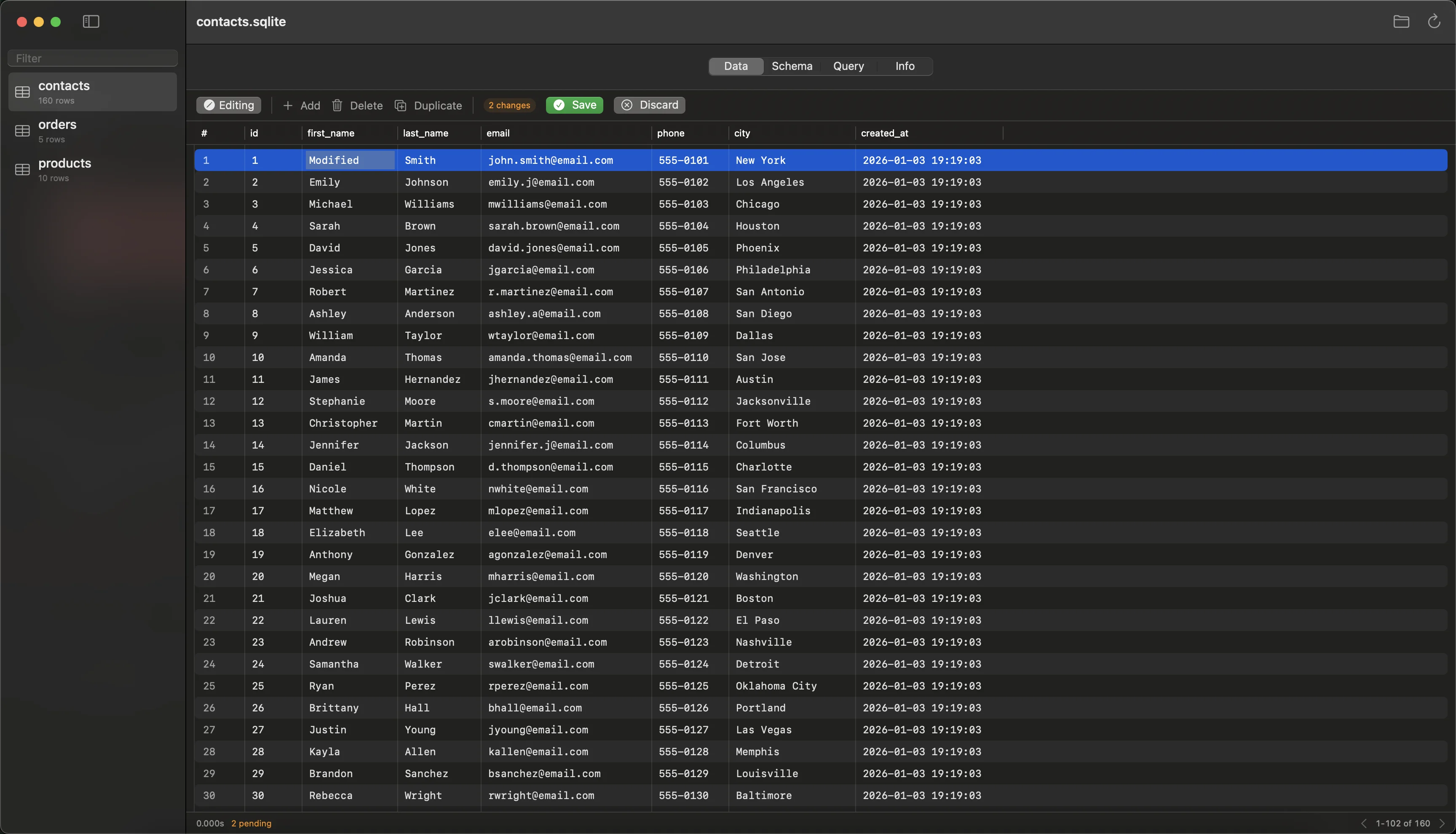
Change Tracking
See every modification highlighted in real-time. Review all pending changes before committing to your database.
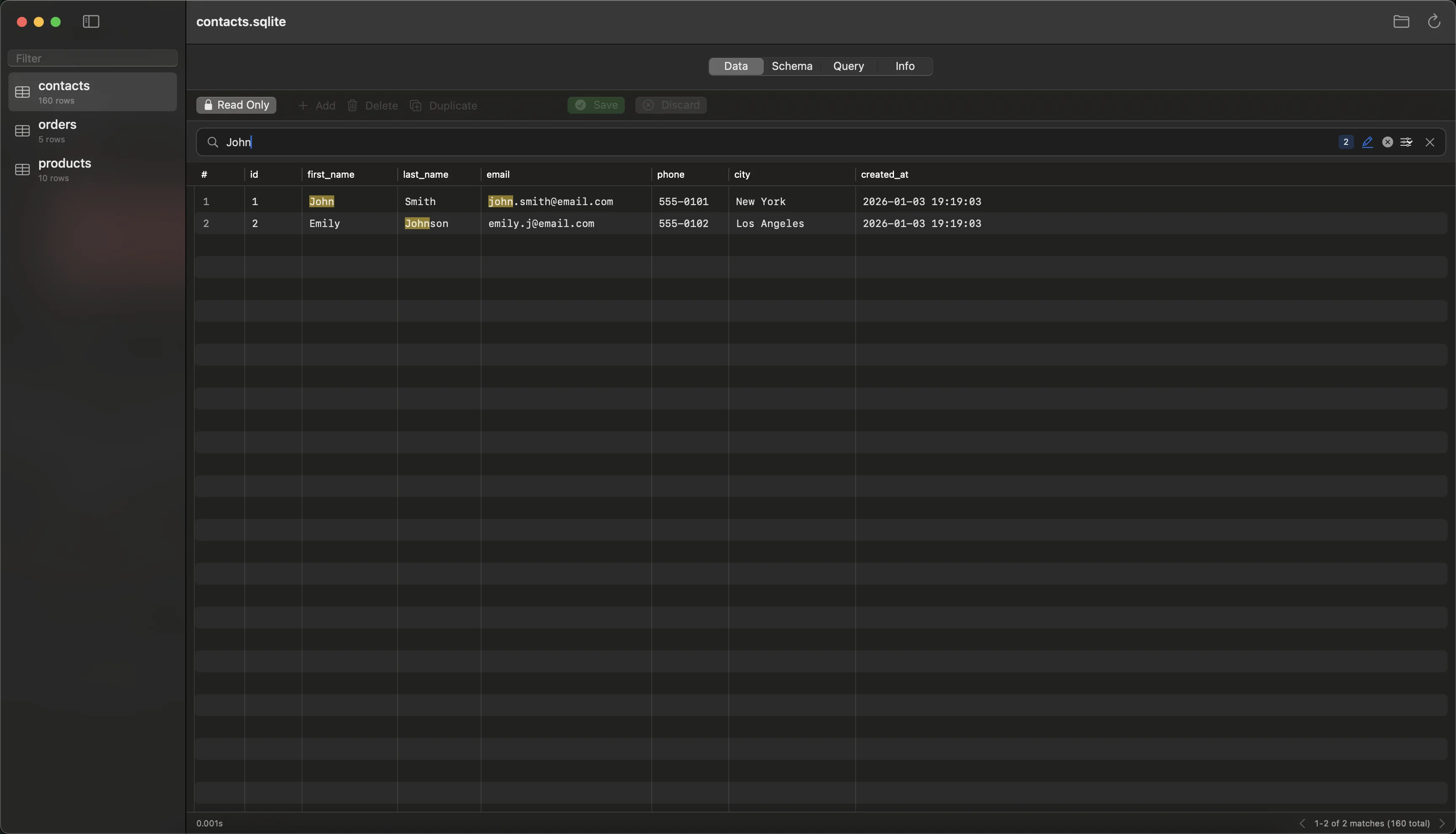
Instant Search
Find anything instantly with real-time filtering and match highlighting.
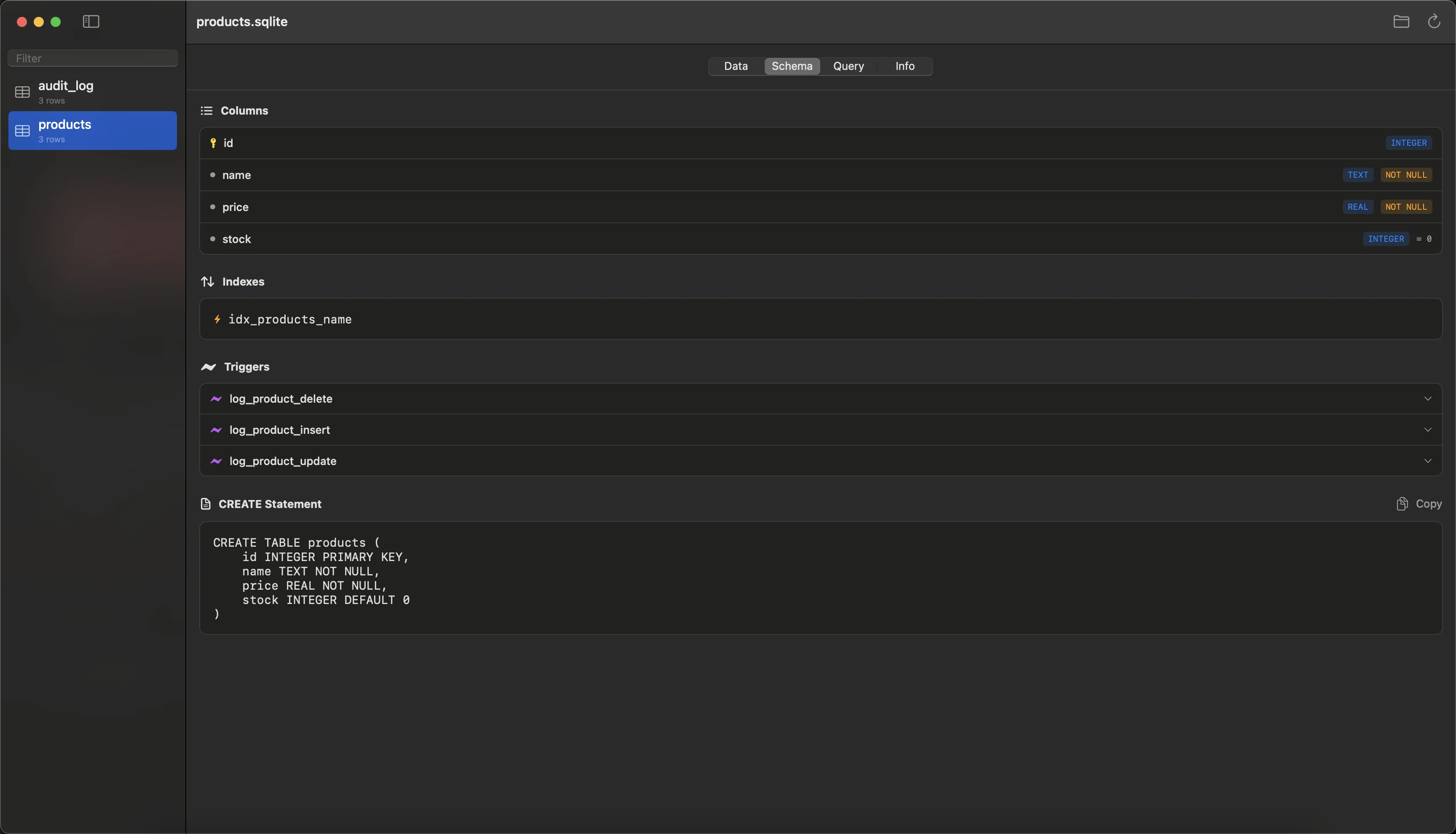
Schema Inspector
View column types, constraints, and CREATE statements at a glance.
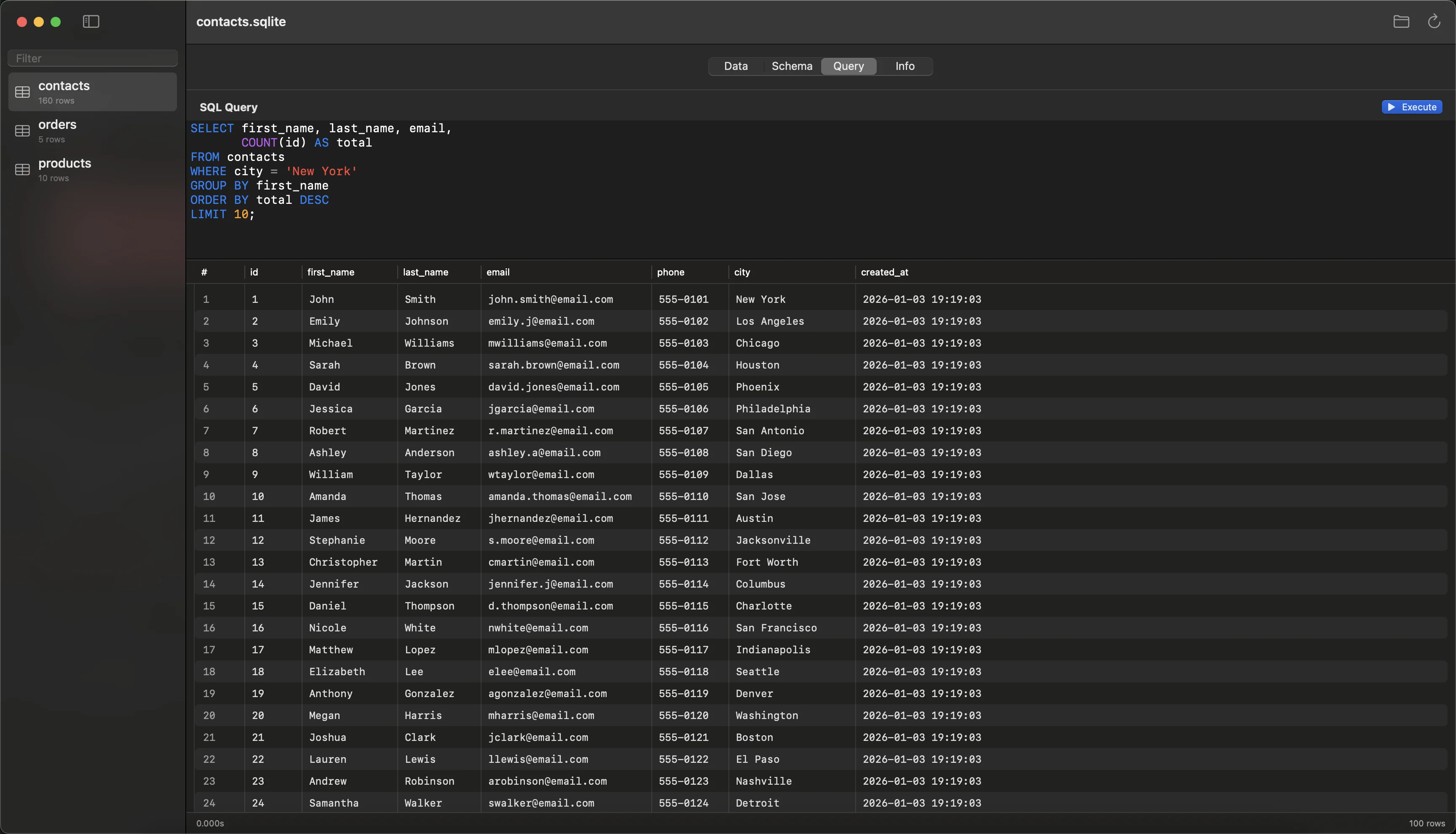
SQL Query Editor
Write and execute custom SQL queries with a built-in editor and instant results.
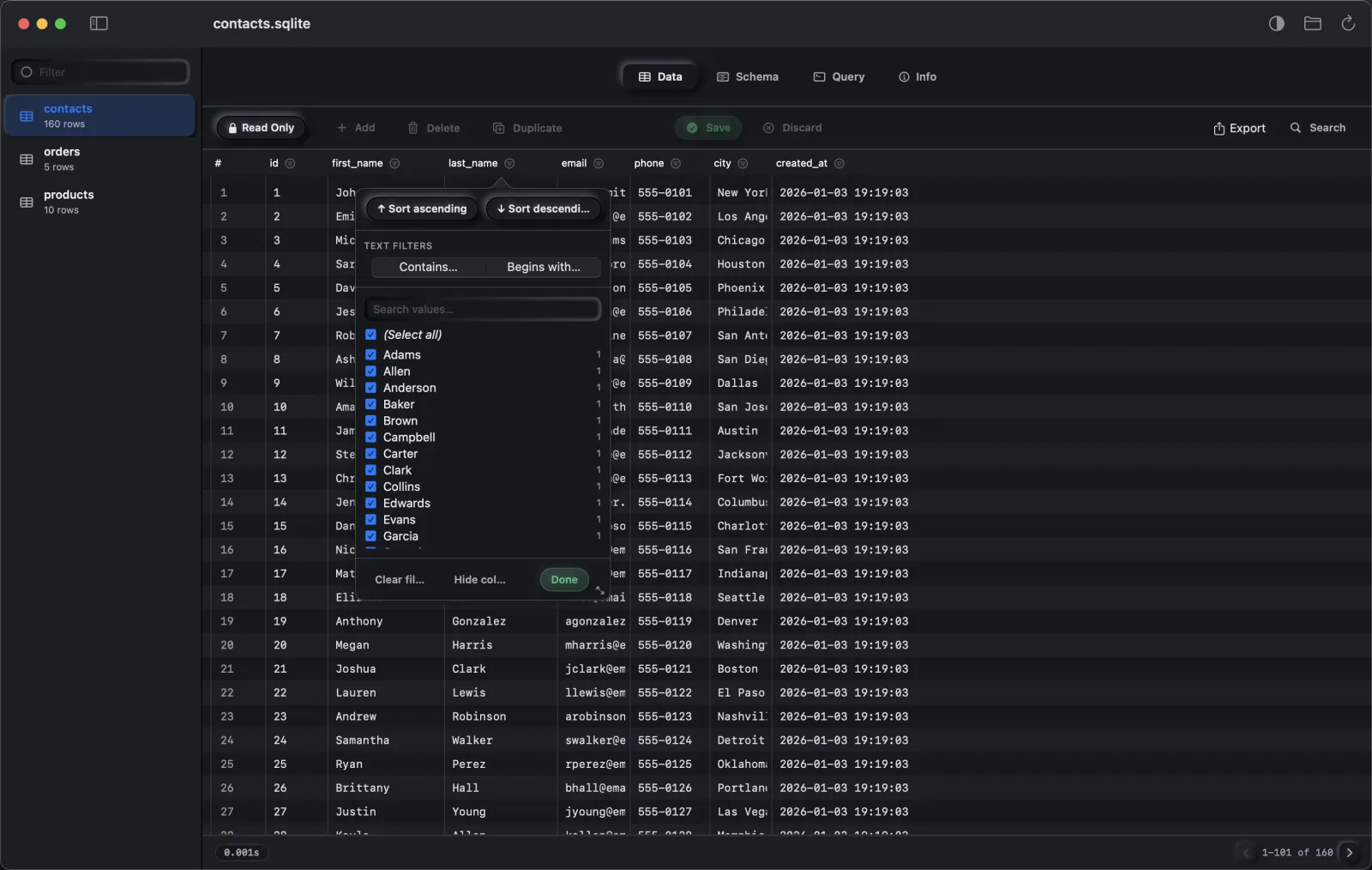
Column Auto-Filter
Filter any column from its header — sort, type-aware Number/Text/Date filters, and a searchable value checklist. Hide the columns you don't need.
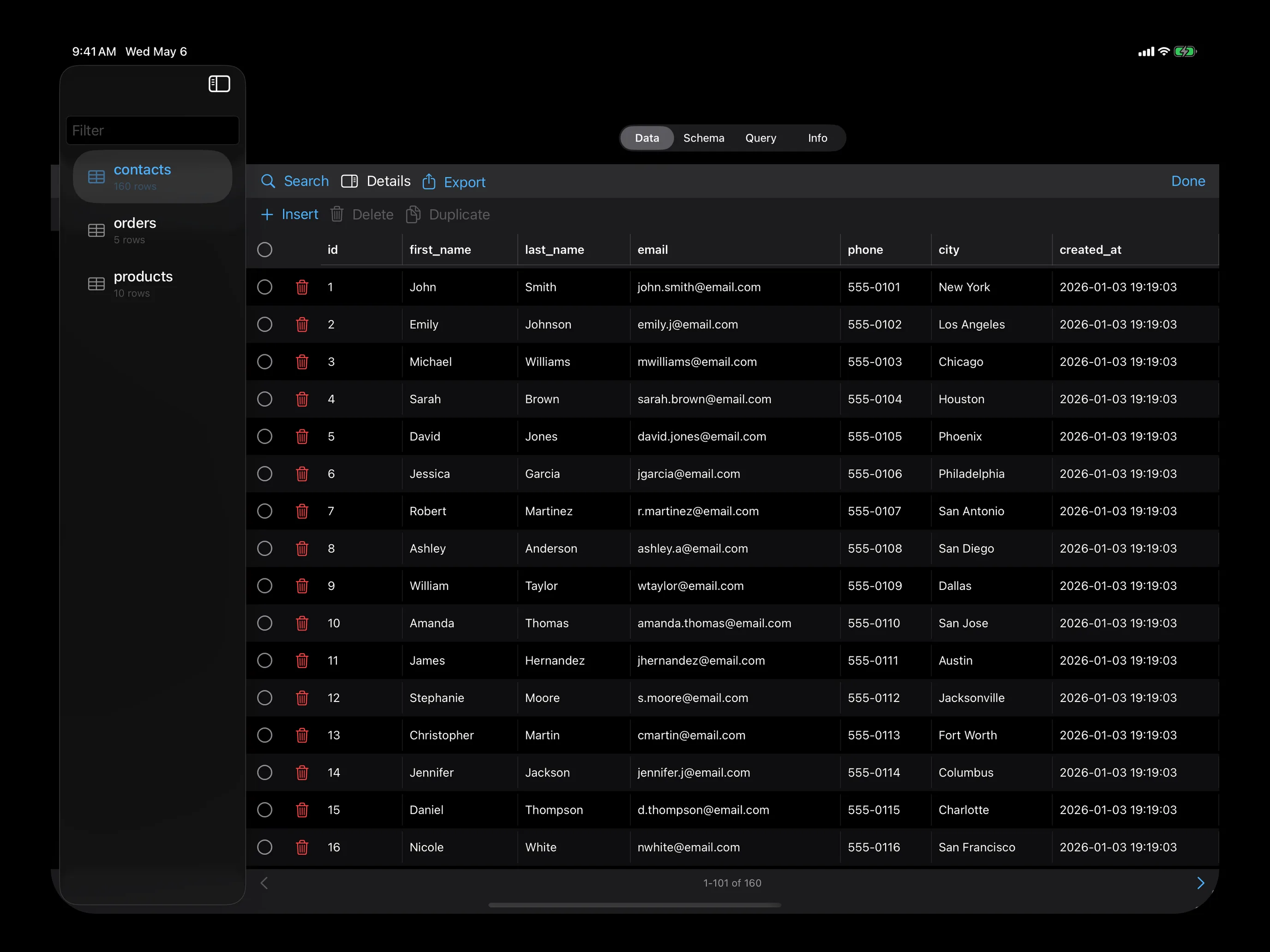
Touch to Edit
Tap a cell, type, save. Same change-tracking safety on tablet.
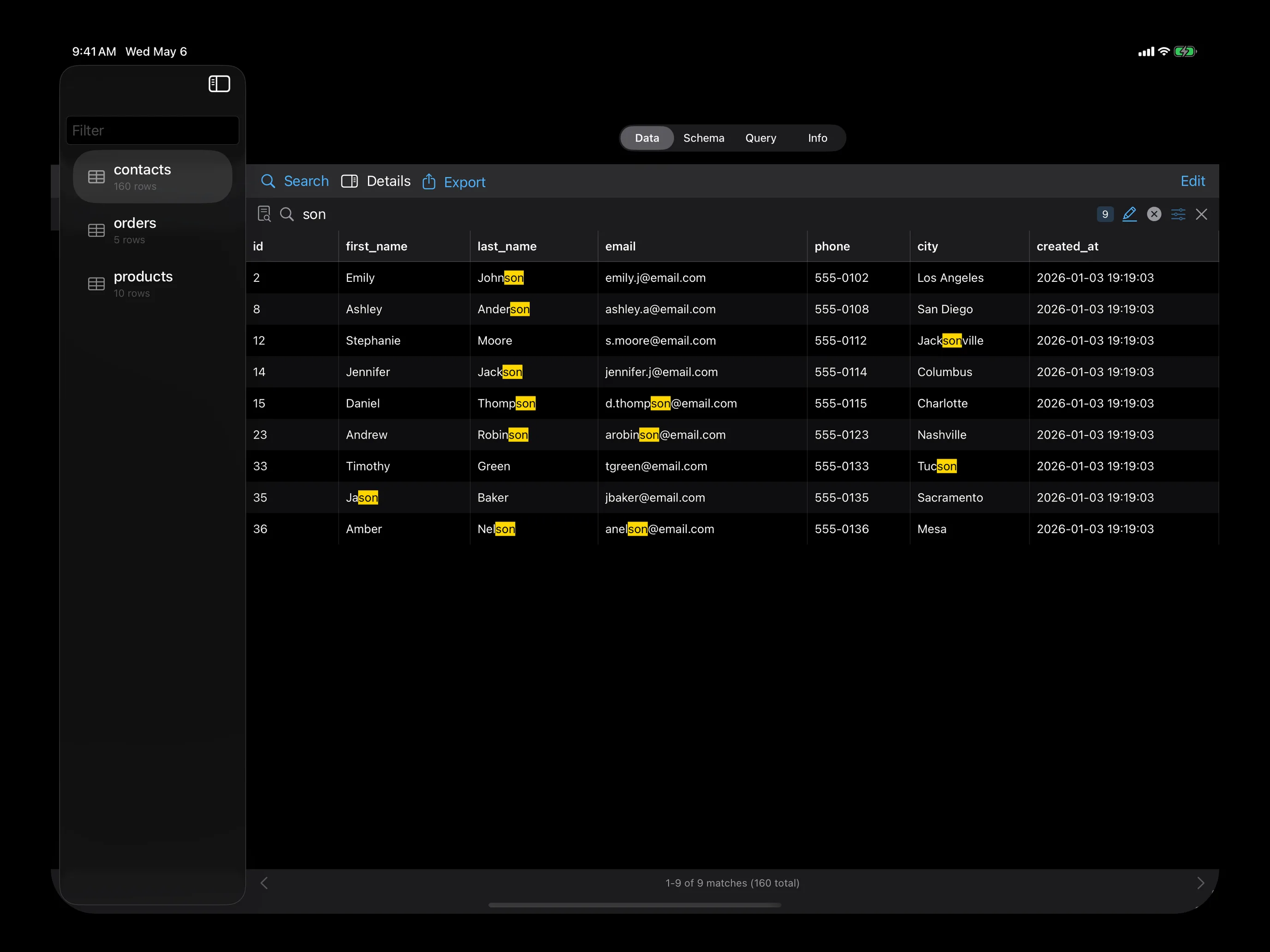
Instant Search
Same FTS engine. Real-time filtering and match highlighting, designed for thumbs.
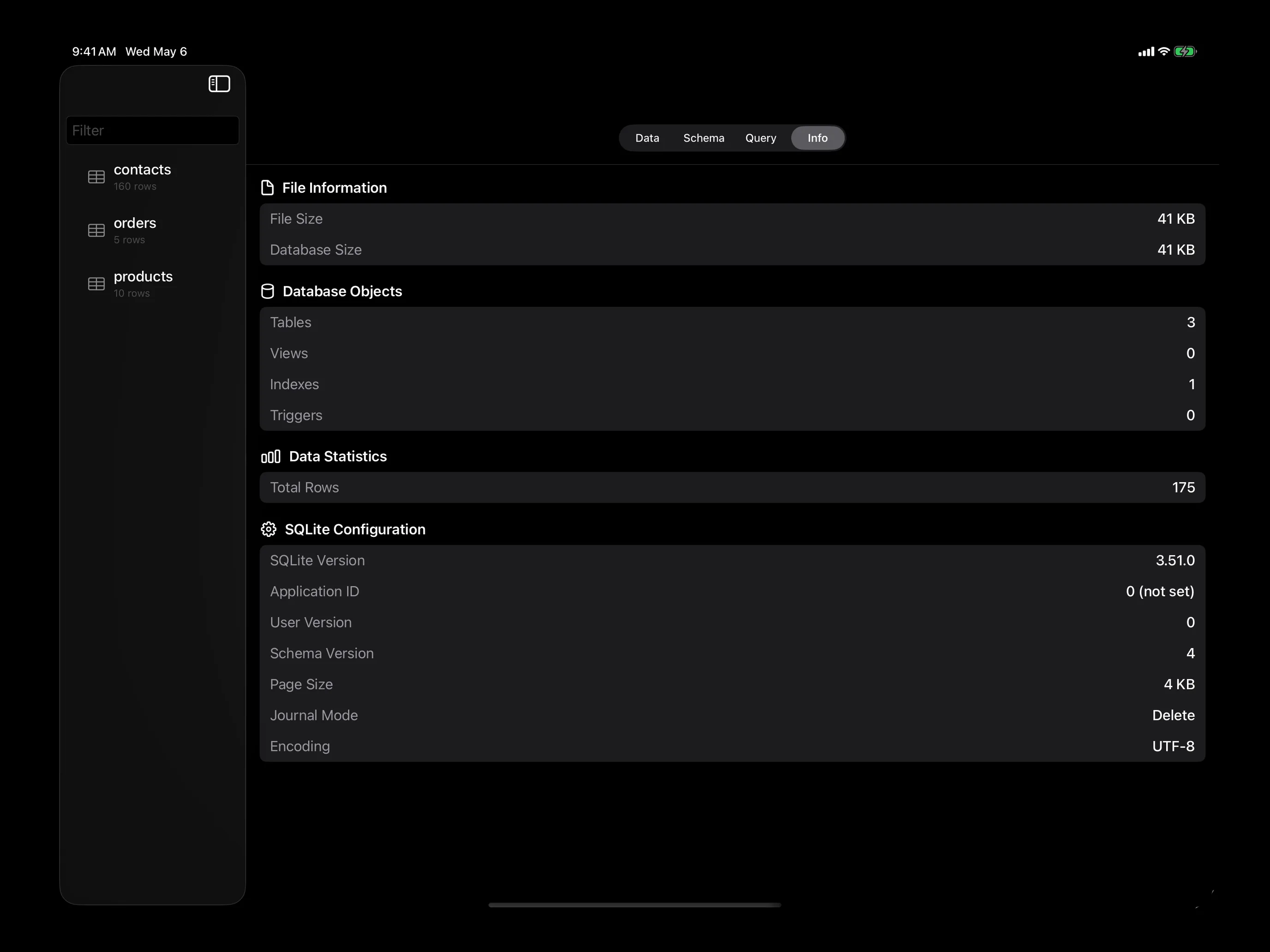
Column Statistics
Min/max/avg, null counts, distinct values — one tap.
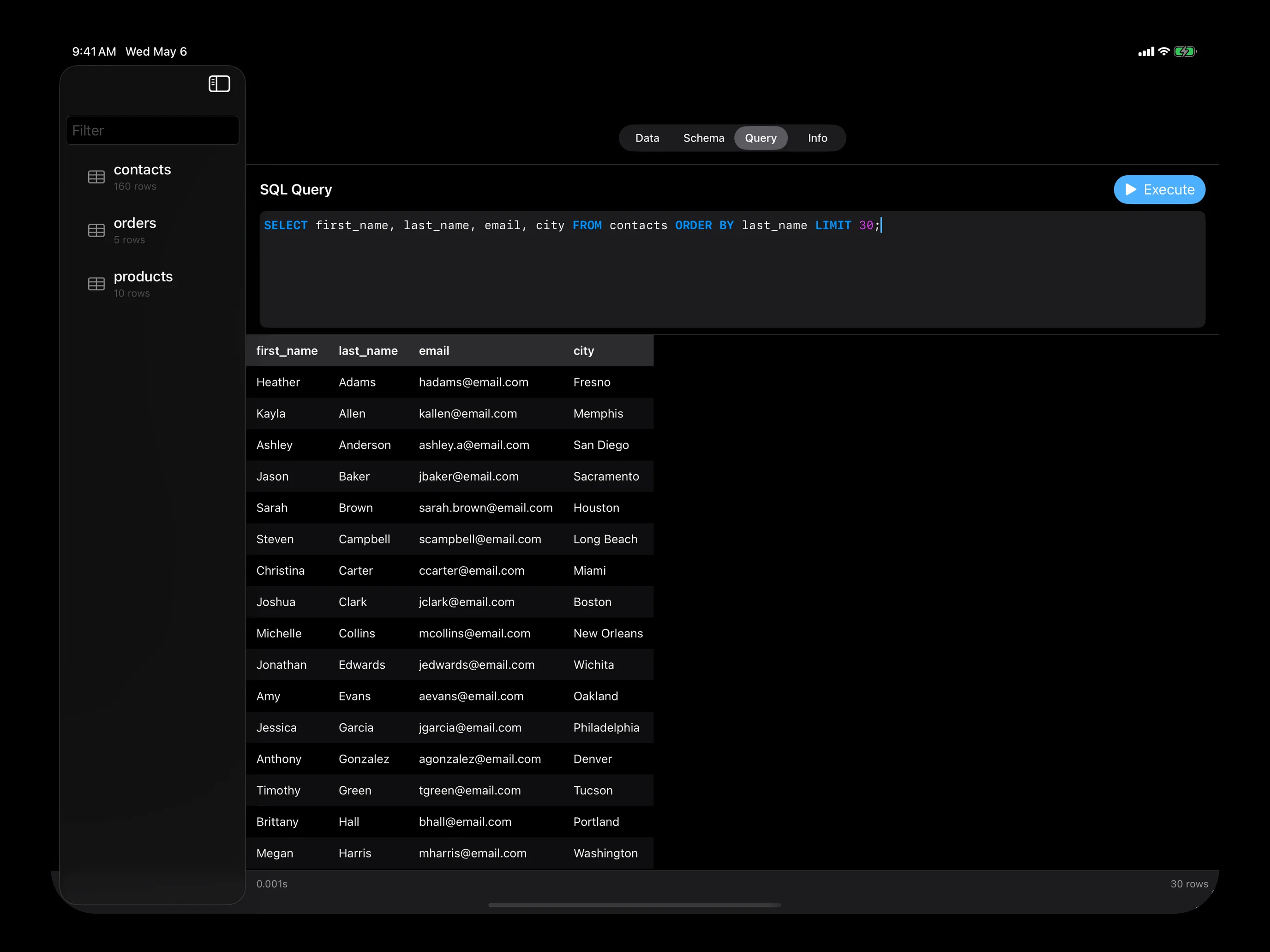
SQL Query Tab
Write SQL with the full keyboard. Tap to run, results below.
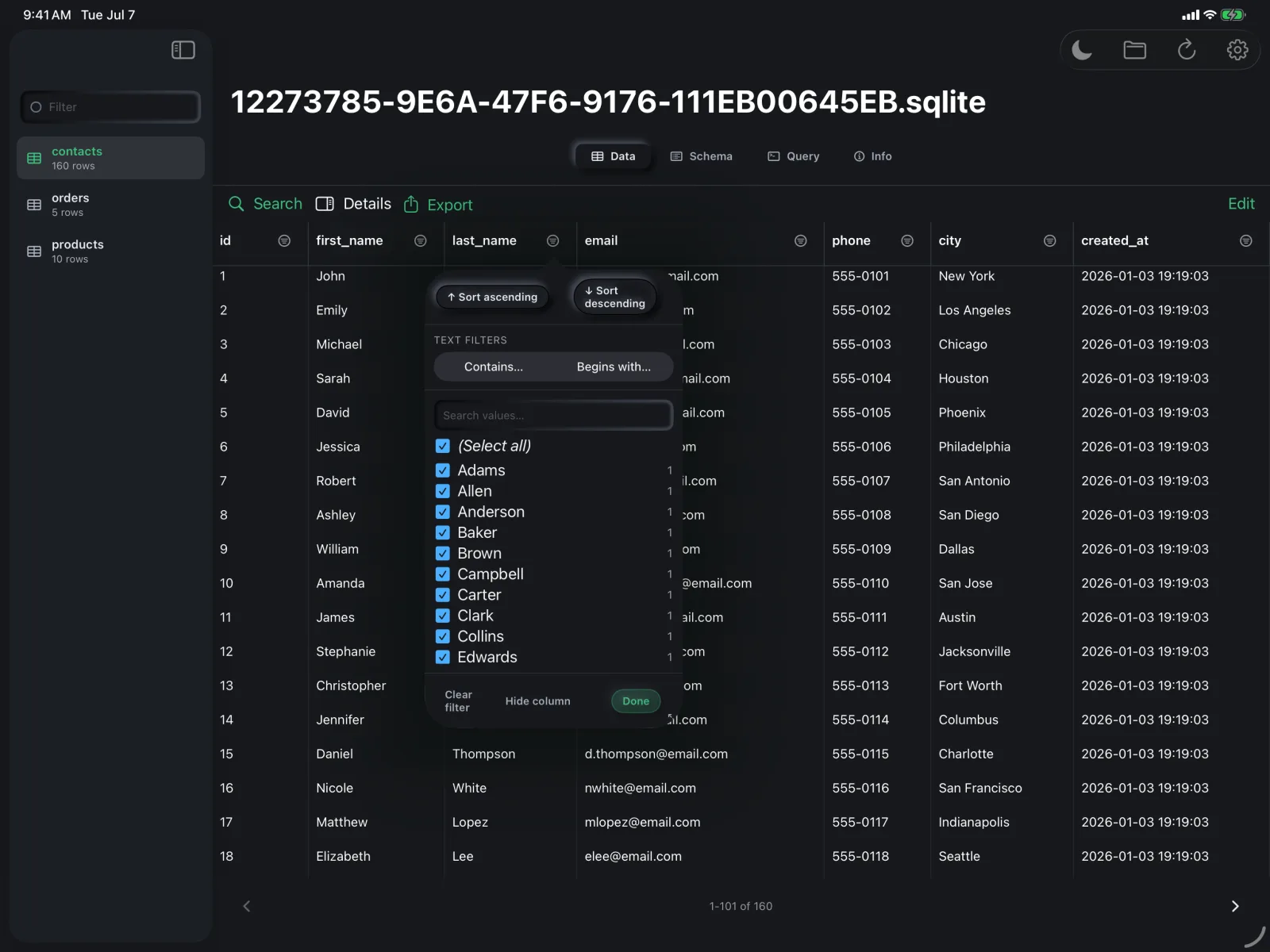
Column Auto-Filter
Tap any column's funnel to sort, filter by type, and pick values from a checklist. Hide columns you don't need.
FAQ
What file formats does Strix SQLite open?
Strix opens any SQLite database file — including .sqlite, .sqlite3, .db, and custom extensions. You can also import CSV, TSV, JSON, and Excel (.xlsx) files; multi-sheet workbooks expand into one SQLite table per sheet.
Is Strix SQLite free?
No — Strix is a paid app with a one-time purchase of $9.99 for Mac and $9.99 for iPad. There are no subscriptions and no in-app purchases. See the pricing page for details.
Is Strix SQLite safe to use on production databases?
Yes. Databases open in read-only mode by default, so you cannot accidentally modify data. Switching to edit mode highlights every change until you explicitly save or discard it. Strix does not transmit any data — all databases stay on your device.
Does Strix SQLite require macOS or iPadOS?
Yes. Strix is built natively with Swift and SwiftUI and runs on macOS 14 (Sonoma) or later, and iPadOS 18 or later. There is no Windows or Linux version.
Does it support full-text search?
Yes. Strix uses SQLite's FTS5 engine for fast full-text search across large databases, with result highlighting and real-time filtering.
Can I buy Strix outside the App Store?
Yes — Strix for Mac is available directly via Paddle for $9.99, with the same features as the App Store version.
SUPPORT
Need Help?
Have a question, found a bug, or want to request a feature? We'd love to hear from you.
Contact SupportPRIVACY
Your Data Stays Yours
Strix SQLite does not collect, store, or transmit any user data. All databases remain on your device. No analytics, no tracking, no accounts required.